

7-Zip stands out as a leading file archiver tool, renowned for its high compression ratio, especially with its own 7z format. This free, open-source software supports a plethora of archive formats beyond its native 7z, including ZIP, RAR, GZIP, and more.
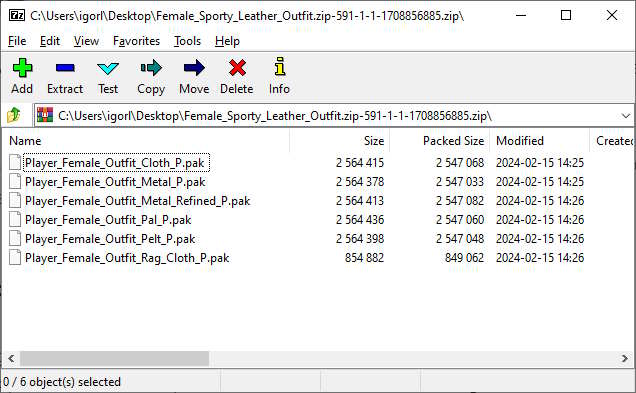
It’s designed for ease of use, with a graphical user interface for Windows users, and command-line interfaces for Windows and POSIX systems. Its robust encryption features ensure secure file handling, making it a valuable tool for gamers and general users alike who need efficient, secure file management.
Key Features
- High compression ratio in 7z format with LZMA and LZMA2 compression
- Supports numerous compression and archive formats including ZIP, RAR, TAR, and more
- Graphical and command-line interfaces for versatility
- File encryption with AES-256 bit for enhanced security
- Capable file manager for managing compressed files and archives
- Supports split archives for large files
- Integration with Windows Shell for easy access
- Ability to open EXE files as archives
- Multi-language support, making it accessible worldwide
- Free and open-source under LGPL-2.1-or-later license, ensuring it’s cost-free and modifiable
Download 7-Zip
- 7-Zip 26.04 x64 exe 1,59 MB Windows XP+
- 7-Zip 26.04 x86 exe 1,3 MB Windows XP+
- 7-Zip 26.04 arm64 exe 1,52 MB Windows XP+
What’s new
- Some bugs fixed and minor improvements added.
Old files
- 7-Zip 26.03 x64 exe 1,58 MB Windows XP+
- 7-Zip 26.03 x86 exe 1,3 MB Windows XP+
- 7-Zip 26.03 arm64 exe 1,52 MB Windows XP+
- 7-Zip 26.02 x64 exe 1,58 MB Windows XP+
- 7-Zip 26.02 x86 exe 1,29 MB Windows XP+
- 7-Zip 26.02 arm64 exe 1,52 MB Windows XP+
- 7-Zip 26.01 x64 exe 1,58 MB Windows XP+
- 7-Zip 26.01 x86 exe 1,3 MB Windows XP+
- 7-Zip 26.01 arm64 exe 1,52 MB Windows XP+
- 7-Zip 26.00 x64 exe 1,58 MB Windows XP+
- 7-Zip 26.00 x86 exe 1,29 MB Windows XP+
- 7-Zip 26.00 arm64 exe 1,51 MB Windows XP+
- 7-Zip 25.01 x64 exe 1,57 MB Windows XP+
- 7-Zip 25.01 x86 exe 1,29 MB Windows XP+
- 7-Zip 25.01 arm64 exe 1,51 MB Windows XP+
- 7-Zip 25.00 x64 exe 1,57 MB Windows XP+
- 7-Zip 25.00 x86 exe 1,29 MB Windows XP+
- 7-Zip 25.00 arm64 exe 1,51 MB Windows XP+
- 7-Zip 24.09 x64 exe 1,56 MB Windows XP+
- 7-Zip 24.09 x86 exe 1,29 MB Windows XP+
- 7-Zip 24.09 arm64 exe 1,51 MB Windows XP+
- 7-Zip 24.08 x64 exe 1,55 MB Windows XP+
- 7-Zip 24.08 x86 exe 1,27 MB Windows XP+
- 7-Zip 24.08 arm64 exe 1,49 MB Windows XP+
- 7-Zip 24.07 x64 exe 1,55 MB Windows XP+
- 7-Zip 24.07 x86 exe 1,27 MB Windows XP+
- 7-Zip 24.07 arm64 exe 1,48 MB Windows XP+
- 7-Zip 24.06 x64 exe 1,54 MB Windows XP+
- 7-Zip 24.06 x86 exe 1,27 MB Windows XP+
- 7-Zip 24.06 arm64 exe 1,48 MB Windows XP+
- 7-Zip 24.05 x64 exe 1,54 MB Windows XP+
- 7-Zip 24.05 x86 exe 1,27 MB Windows XP+
- 7-Zip 24.05 arm64 exe 1,48 MB Windows XP+
- 7-Zip 23.01 x64 exe 1,52 MB Windows XP+
- 7-Zip 23.01 x86 exe 1,24 MB Windows XP+
- 7-Zip 23.01 arm64 exe 1,46 MB Windows XP+
- 7-Zip 22.01 x64 exe 1,5 MB Windows XP+
- 7-Zip 22.01 x86 exe 1,23 MB Windows XP+
- 7-Zip 22.01 arm64 exe 1,53 MB Windows XP+
- 7-Zip 22.00 x64 exe 1,5 MB Windows XP+
- 7-Zip 22.00 x86 exe 1,23 MB Windows XP+
- 7-Zip 22.00 arm64 exe 1,53 MB Windows XP+
- 7-Zip 21.07 x64 exe 1,46 MB Windows XP+
- 7-Zip 21.07 x86 exe 1,2 MB Windows XP+
- 7-Zip 21.07 arm64 exe 1,49 MB Windows XP+
- 7-Zip 16.04 x86 exe 1,06 MB Windows XP+
- 7-Zip 16.04 x64 exe 1,32 MB Windows XP+
- 7-Zip 9.20 x86 exe 1,06 MB Windows XP+
Installation
Follow the link provided on this page to download the correct version for your operating system. Once downloaded, run the installer and follow the on-screen instructions to complete the installation.